BlackBoard LTI 1.3 Assignment Integration
Updated
Below are the steps for creating Assignment Integration link in Blackboard :
- Log into your Blackboard Portal using your faculty account.
-
On the left side panel click on Courses and select the Course.
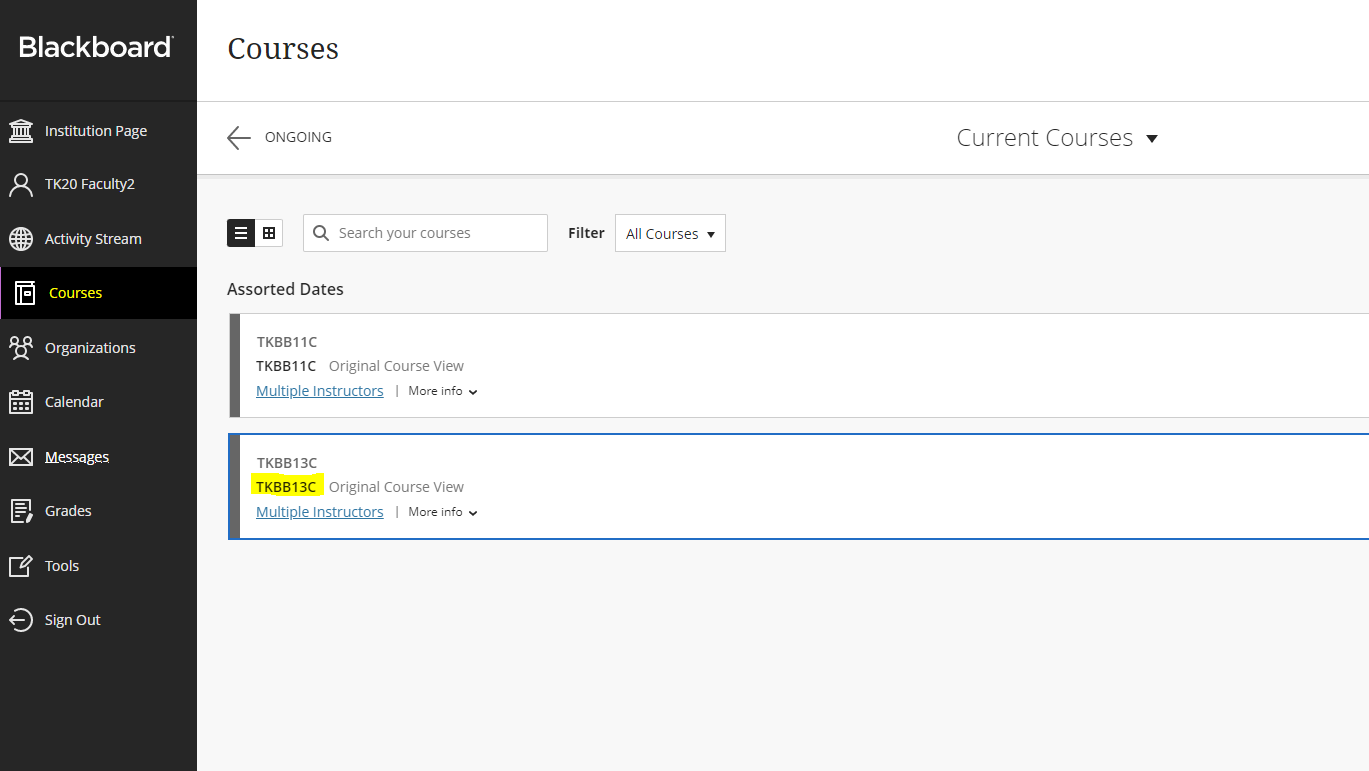
- Click on Content from the left side panel.
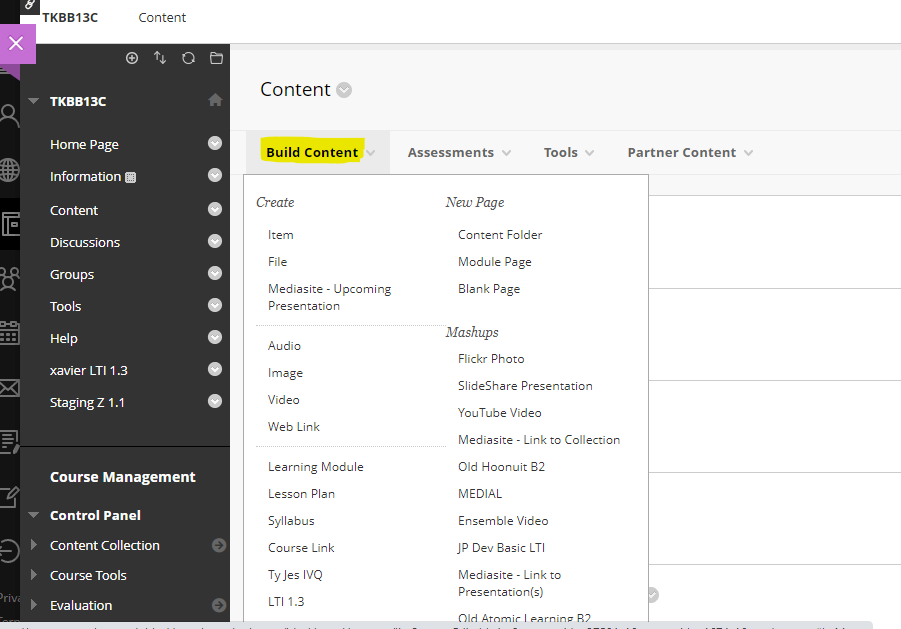
- Go to Build Content from the top menu and click on the Assignmentpk Placement type which is created by Admin in the Administrator Tools.
-
(NOTE : To create new Placement Type follow this BlackBoard LTI 1.3 Field Experience Integration
-
After clicking on the Assignment Placement type, a new page for link creation is displayed.
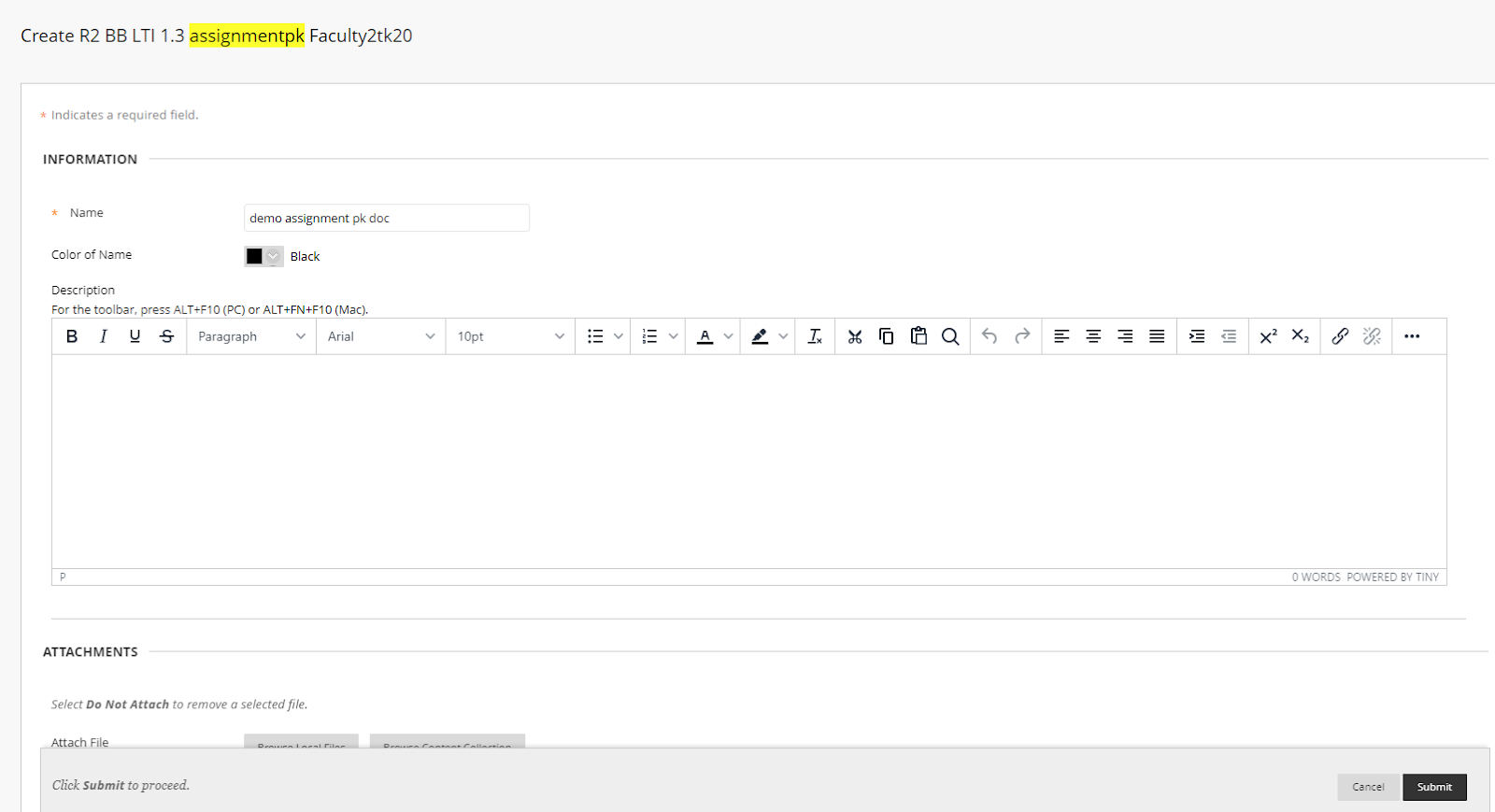
- Enter a Name for the Assignment Placement Type
- All the fields should be as it default.(No changes required)
- Click the Submit button.
- Search your Assignment placement type which you have created recently in Content and click on it.
-
Hit the Launch button.
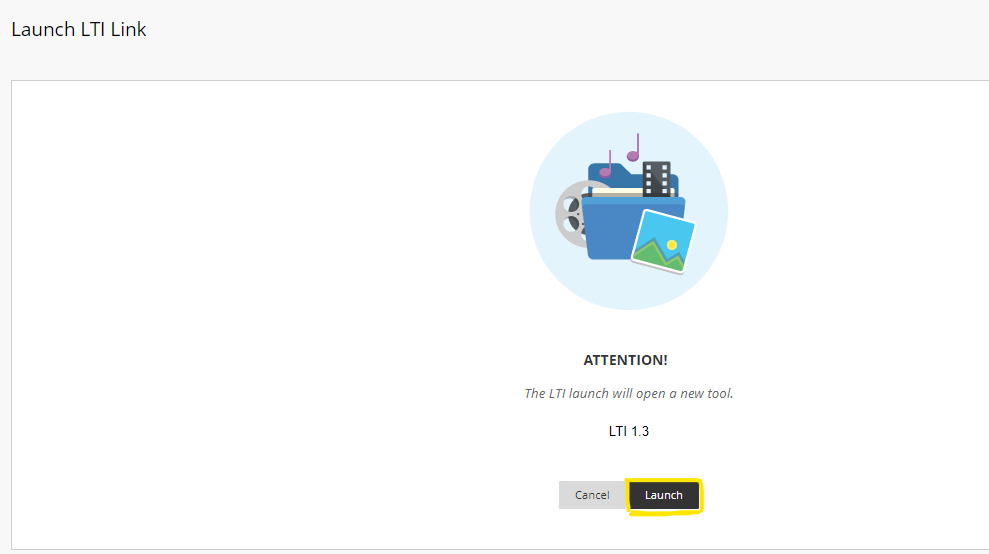
- Tk20 home screen will open up with the Assignment page.
/hc/en-us/categories/4410672691227-Watermark-Updates
/hc/theming_assets/01K3KX0J2BB1MZMKY3SXP69GZW
Release Notes
Announcements, News, & Roadmaps
custom
/hc/en-us/categories/4410673196187-Technical-Resources
/hc/theming_assets/01K3KX0JC9JW7SRY2VYJQ6YVGT
Integrations & Other Resources
Integrations, authentication, accessibility resources
custom
https://academy.watermarkinsights.com/
/hc/theming_assets/01K3KX0JQS0WJEC0W76G3E8209
Need Training or Consultation? Visit the Academy
Click to access the Watermark Academy for consultation, training, and implementation companion courses
custom
https://support.watermarkinsights.com/hc/en-us/articles/16630244989851-The-Watermark-Ideas-Portal
/hc/theming_assets/01K3KX0K2DNZR7X2PJFZAE919A
Have Ideas? Visit the Ideas Portal
Submit and vote on ideas for new features and improvements
custom
https://support.watermarkinsights.com/hc/en-us/sections/17972200371867-Accessibility
/hc/theming_assets/01K10X09JFPDEK1PJZKYJYTK0Q
Accessibility
Accessibility resources and articles
How do I access my Student Learning & Licensure account?