BlackBoard LTI 1.3 Coursework Integration
Updated
Below are the steps for creating Coursework Integration link in Blackboard :
- Log into your Blackboard Portal using your faculty account.
On the left side panel click on Courses and select the Course.
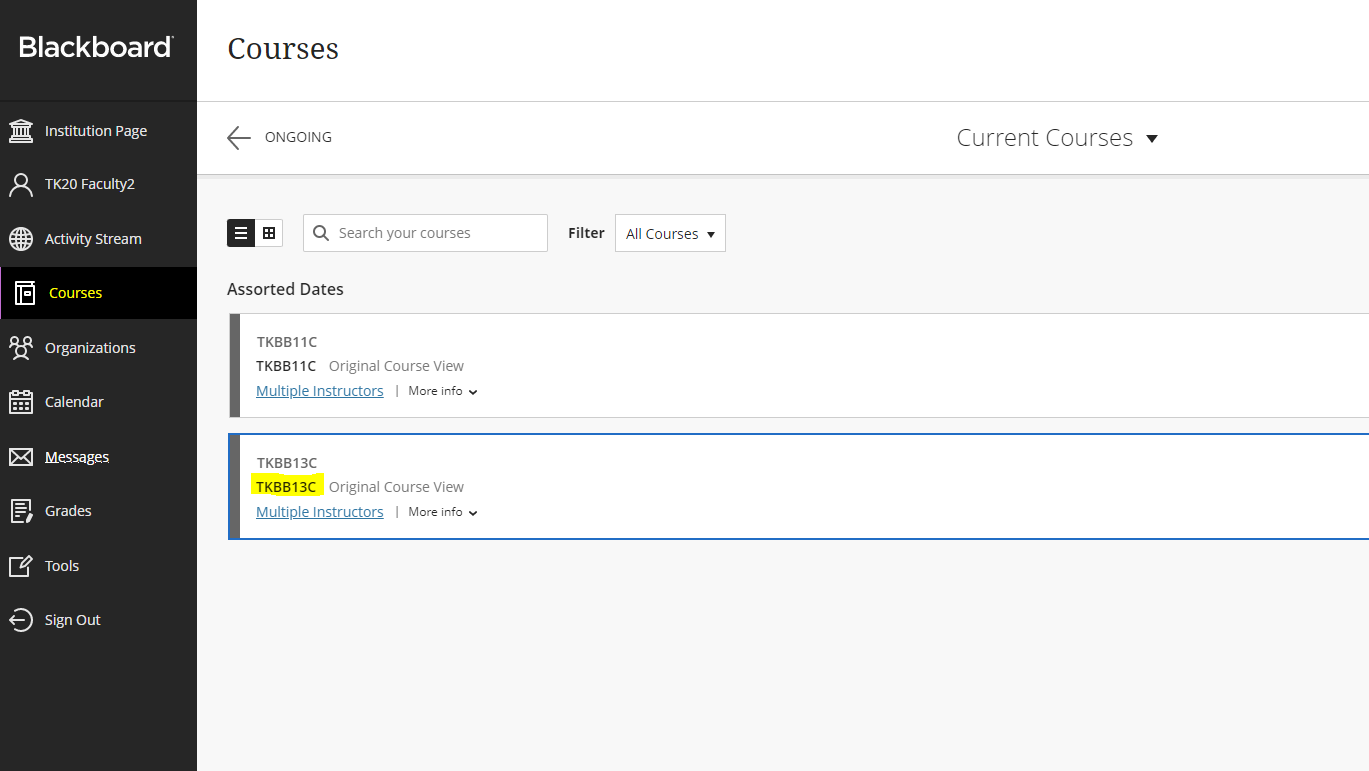
- Click on Content from the left side panel.
Go to Build Content from the top menu and click on the Coursework Placement type which is created by Admin in the Administrator Tools.
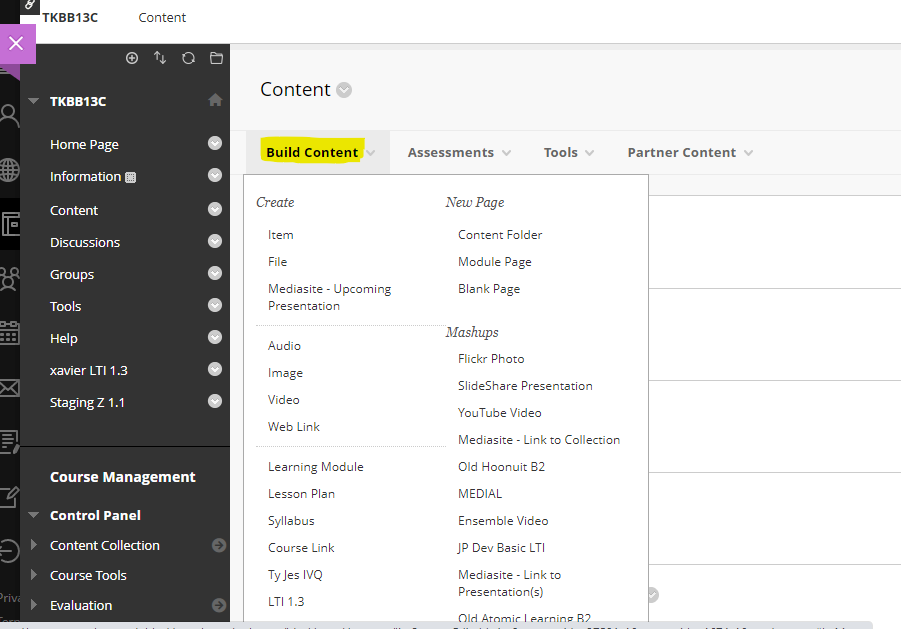
After clicking on the Coursework Placement type, a new page for link creation is displayed.
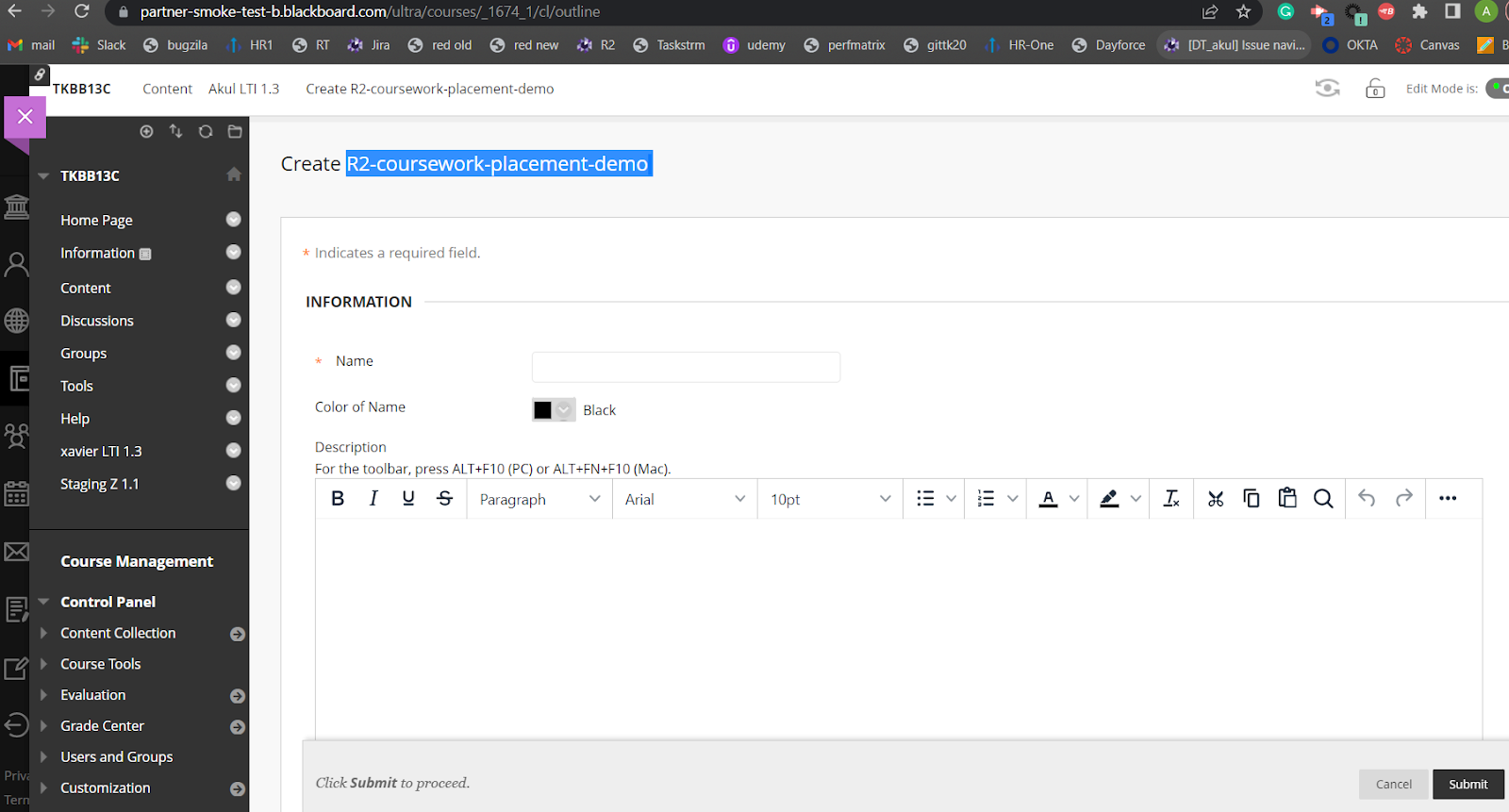
- Enter a Name for the Coursework Placement Type (Note- Name provided should be understandable for layman example- BlackBoard 1.3 Coursework faculty).
Search for Grading option, select Yes check box and enter Points Possible.(Example- 100).
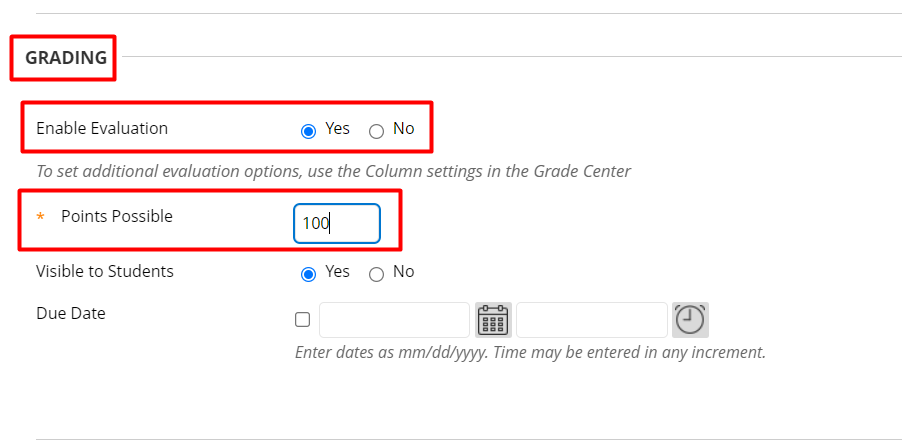
- All the fields should be as it default.(No changes required)
- Click Submit button.
- Search your Coursework placement type which you have created recently in Content and click on it.
Hit the Launch button.
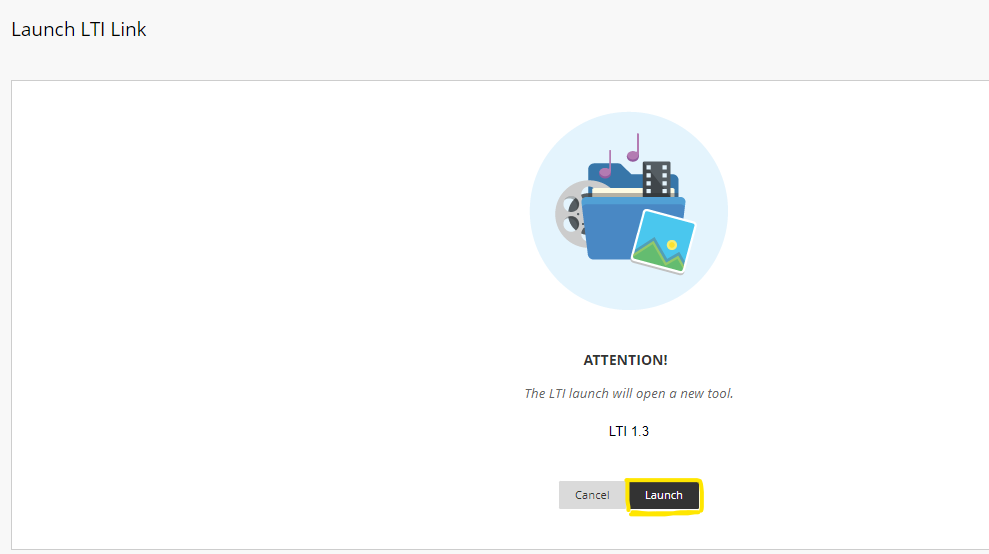
- Tk20 home screen will open up with the coursework.
/hc/en-us/categories/4410672691227-Watermark-Updates
/hc/theming_assets/01K3KX0J2BB1MZMKY3SXP69GZW
Release Notes
Announcements, News, & Roadmaps
custom
/hc/en-us/categories/4410673196187-Technical-Resources
/hc/theming_assets/01K3KX0JC9JW7SRY2VYJQ6YVGT
Integrations & Other Resources
Integrations, authentication, accessibility resources
custom
https://academy.watermarkinsights.com/
/hc/theming_assets/01K3KX0JQS0WJEC0W76G3E8209
Need Training or Consultation? Visit the Academy
Click to access the Watermark Academy for consultation, training, and implementation companion courses
custom
https://support.watermarkinsights.com/hc/en-us/articles/16630244989851-The-Watermark-Ideas-Portal
/hc/theming_assets/01K3KX0K2DNZR7X2PJFZAE919A
Have Ideas? Visit the Ideas Portal
Submit and vote on ideas for new features and improvements
custom
https://support.watermarkinsights.com/hc/en-us/sections/17972200371867-Accessibility
/hc/theming_assets/01K10X09JFPDEK1PJZKYJYTK0Q
Accessibility
Accessibility resources and articles
How do I access my Student Learning & Licensure account?