Are You Ready for the New Results Home Page?

During the August 2024 release this week, we are introducing the completely new Results Home page.
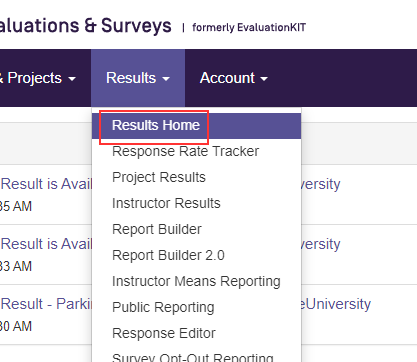
 

Results Home is an easy-to-use reporting experience. Faculty with access to reports can now have a centralized place for their reporting needs.  If you would like this feature enabled in your existing CES account, please Submit A Request and our team will toggle on this new feature.

Learn more about the Results Home page by clicking THIS LINK

2

Comments

4 comments
Date Votes
  • After "playing" in Results home, a list of my thoughts:

    1. Rearrange the page so that the Project Spotlight, Response Rates is the first thing they see. Move Build a report to the bottom, because it is not the "most" impactful piece of information. Faculty want to see data.
    2. For Administrators, there needs to be additional filtering options, mainly to be able to view results by instructor rather than course. Admins know what instructor they want to see, not necessary the courses off the top of their heads.
    3. Have the ability to sort and or search for courses/instructors in Project Spotlight. Currently at the admin level, you can 600 or more courses, but they don't have any rhyme or reason to it.
    4. Question Results - the ability to select multiple questions. Often questions are grouped by themes - instructor interaction, course design, course delivery, etc. The ability to group questions for an overall mean is very meaningful.
    5. Currently the graph under question results is by response count rather than percent. It should be by % with count secondary (i.e. 60% n=15)
    6. Built a Report: the ability for the CES admin to choose which reports to display. We don't offer all reports to instructors/admins. For example, we don't really use Results Feedback, Deferral reporting, etc. so it takes up valuable real estate and confuses them if they attempt to access and there are no results.
    7. Speaking of real estate, have each section with the ability to expand or collapse. If they were all collapsed when they land on the dashboard, they will be able to see all the options without having to scroll.
    1
  • Thanks, Kim!  Results Home is a work in progress, so we appreciate any feedback on how it would be better and/or more usable for your faculty.

    1
  • I agree with Kimberly with #1, 4, 5, 6 and 7 for our purposes.  With collapsing the sections, maybe adding a very brief description of the heading section.

    0
  • Adding an instructor filter would definitely help department chairs filter through the results for annual faculty reviews.

    0

Please sign in to leave a comment.