Editing a Program's Parent Organization
Updated
Overview
This article explains how to change the location of a program/organization within the organizational structure using the System Administration area.
- Select Programs on the left-hand navigation menu within System Administration.
- Locate the program requiring a change by searching the name in the search bar.
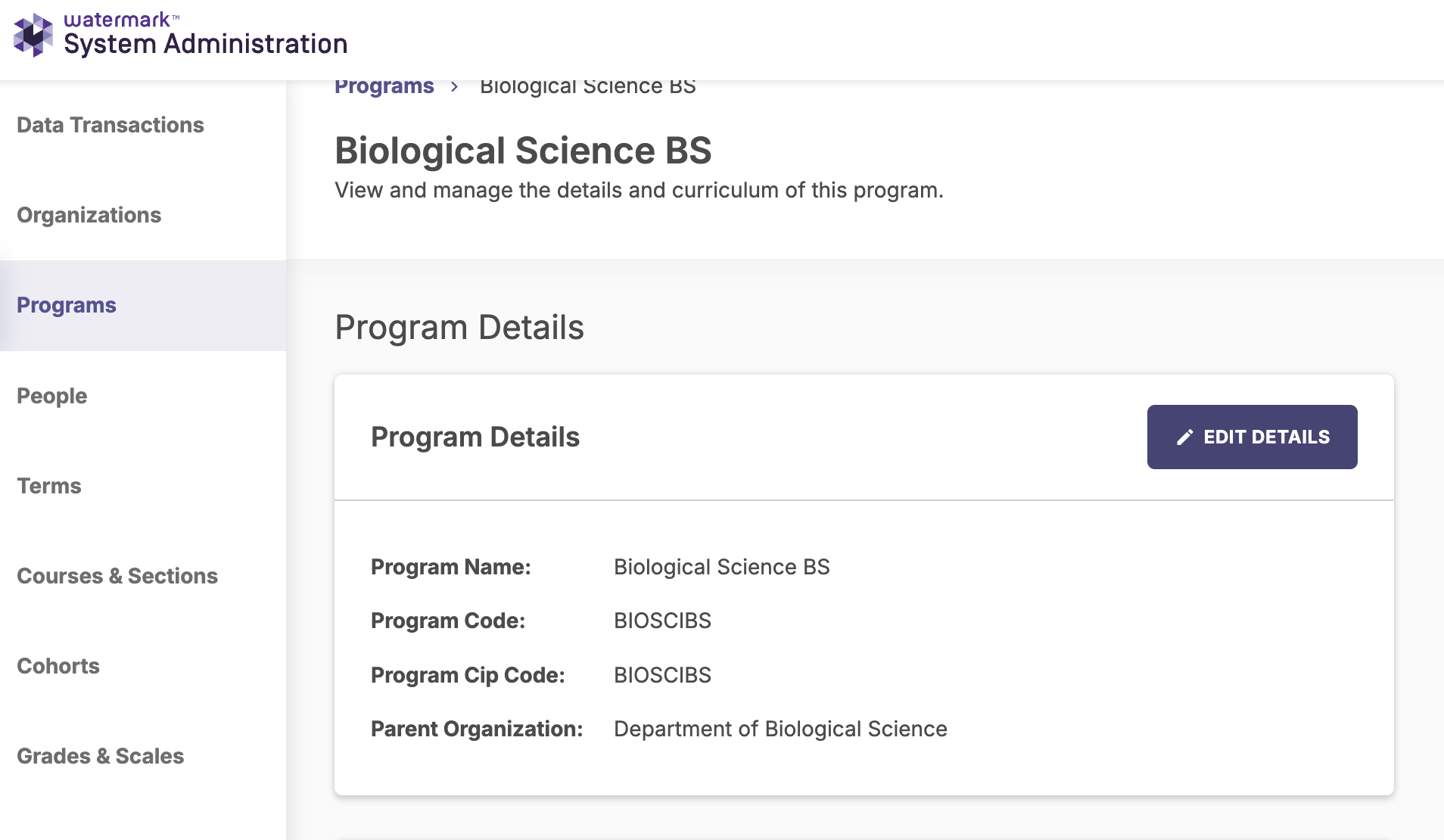
- Click the program name to Edit the Details.
- Click Edit Details.
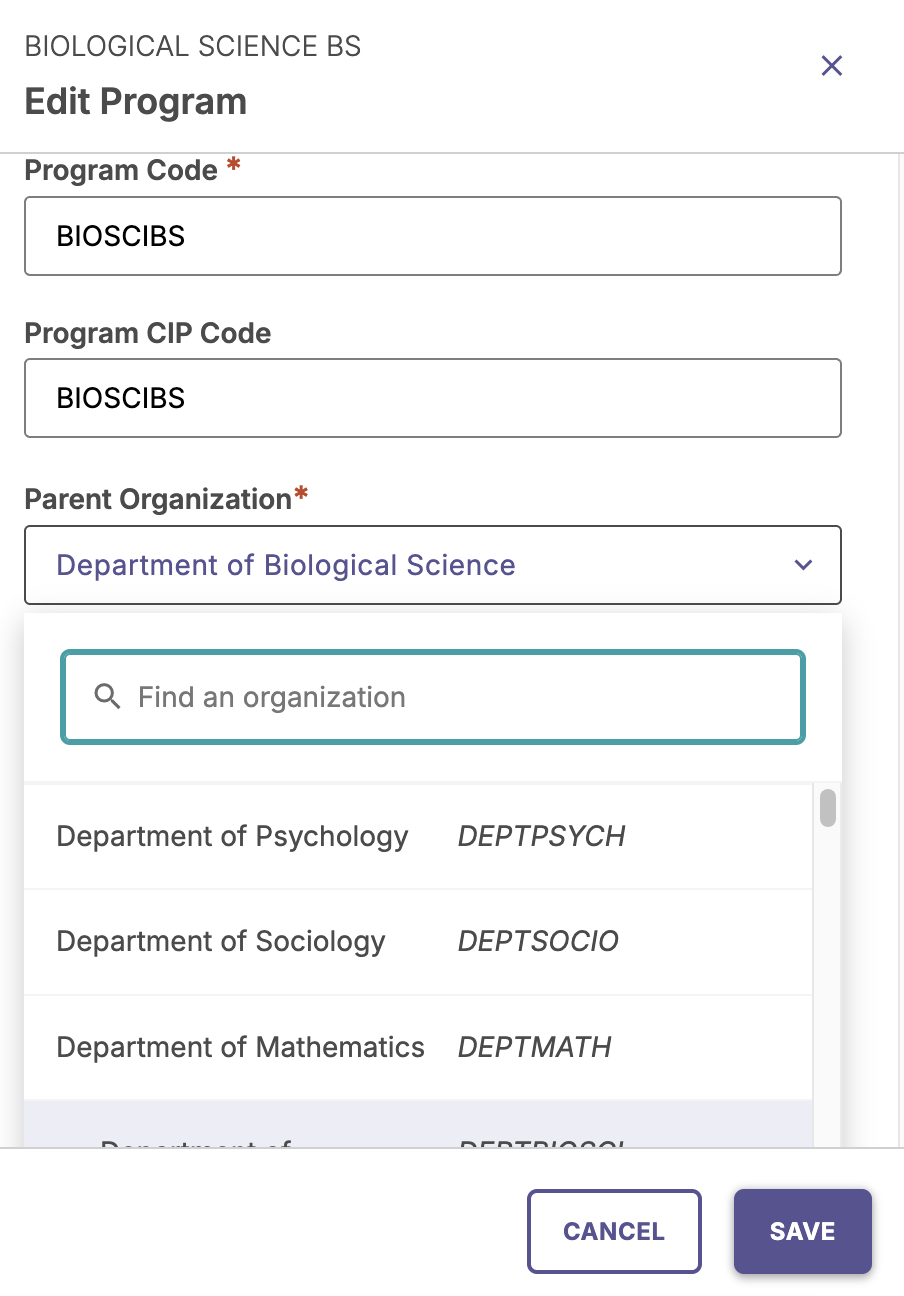
- Under Parent Organization, search for a new parent to associate the program.
Click Save.
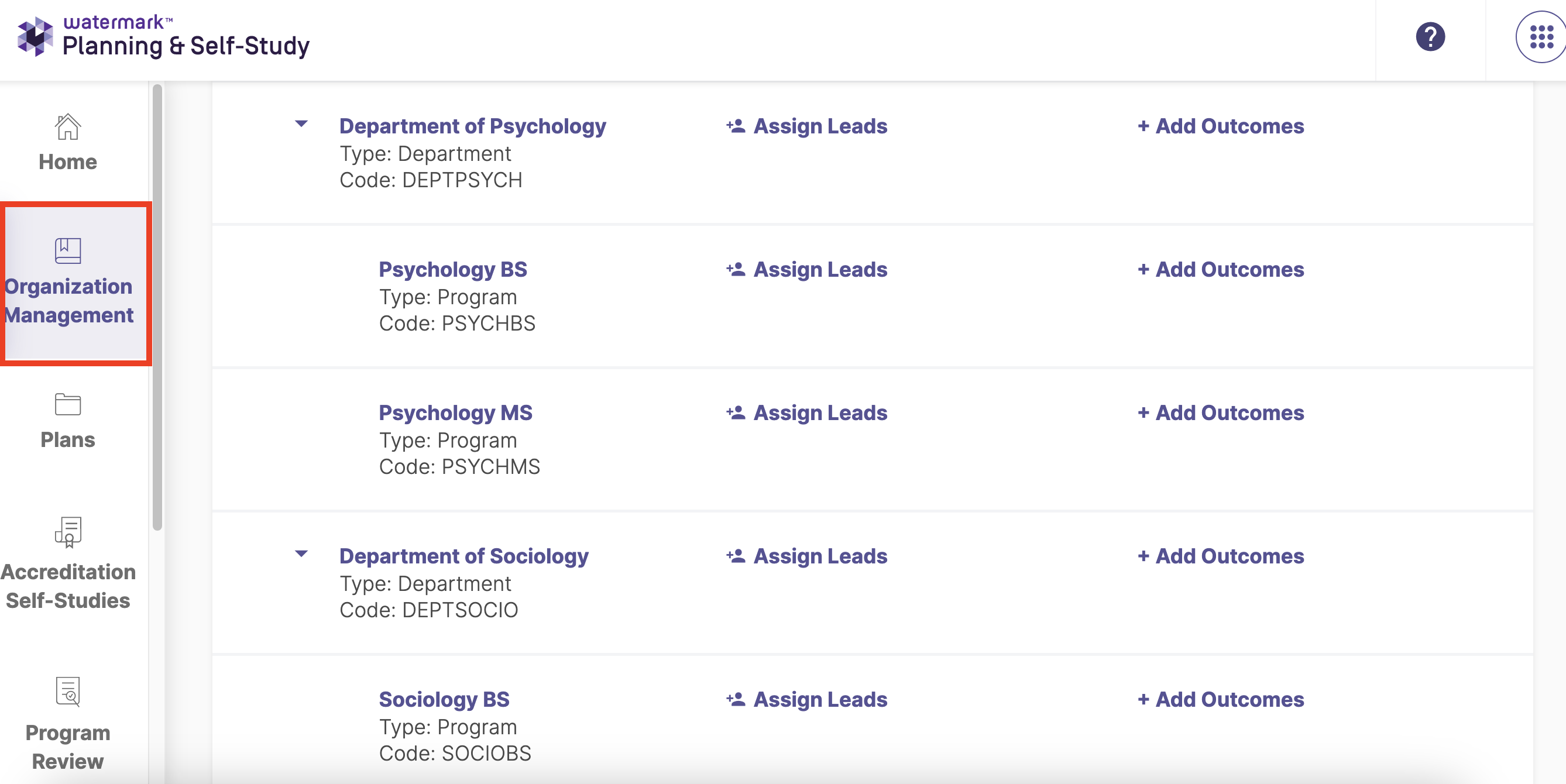
- To verify the update, in the Planning and Self-Study hierarchy, toggle to Planning and Self-Study and select Organization Management.
Note: The change may require a minute or longer to reflect within the PSS interface.
/hc/en-us/categories/4410672691227-Watermark-Updates
/hc/theming_assets/01K3KX0J2BB1MZMKY3SXP69GZW
Release Notes
Announcements, News, & Roadmaps
custom
/hc/en-us/categories/4410673196187-Technical-Resources
/hc/theming_assets/01K3KX0JC9JW7SRY2VYJQ6YVGT
Integrations & Other Resources
Integrations, authentication, accessibility resources
custom
https://academy.watermarkinsights.com/
/hc/theming_assets/01K3KX0JQS0WJEC0W76G3E8209
Need Training or Consultation? Visit the Academy
Click to access the Watermark Academy for consultation, training, and implementation companion courses
custom
https://support.watermarkinsights.com/hc/en-us/articles/16630244989851-The-Watermark-Ideas-Portal
/hc/theming_assets/01K3KX0K2DNZR7X2PJFZAE919A
Have Ideas? Visit the Ideas Portal
Submit and vote on ideas for new features and improvements
custom
https://support.watermarkinsights.com/hc/en-us/sections/17972200371867-Accessibility
/hc/theming_assets/01K10X09JFPDEK1PJZKYJYTK0Q
Accessibility
Accessibility resources and articles
How do I access my Student Learning & Licensure account?